

Smart Data Backup While Charging: A Simple and Effective Solution to Secure Your Phone’s Data

Simplifying the Idea of Data Backup During Charging
Often, the simplest ideas are the most impactful. For example, most people charge their phones overnight. But have you ever thought about the possibility of data backup during charging? The phone could be backing up data while charging itself. This idea may seem simple, but it carries significant benefits.
Local Backup as an Effective Solution
This concept relies on performing a full local backup onto an SD memory card embedded inside the charger itself. This happens without the need to depend on Wi-Fi networks, Bluetooth, or cloud storage. Every time the phone is charged, this backup happens automatically. This eliminates the need to remember to manually perform backups or do them separately.
A Practical Alternative to Cloud Subscriptions
This solution acts as an alternative to cloud storage services that require paid subscriptions. These subscriptions can reach hundreds of dollars annually, such as iCloud or Google One. Instead of relying on these services, you can depend on local backup performed during charging. This provides greater control over your data and reduces costs in the long run.

The Difference Between Fast Charging and Smart Backup
Fast chargers have become common and allow you to charge your phone very quickly. However, the more important question is: does the charger guarantee the protection of your data from loss or corruption? Especially if your phone’s storage becomes full? In most cases, the answer is no.
The Need for Backup Synchronized with Charging
This is where the importance of the smart backup concept during charging comes into play. Since your phone remains connected to the charger for extended periods, such as overnight, it makes sense to utilize this time to transfer your data to a physical storage device. This process protects your data from risks like full storage or file corruption. Most traditional chargers do not provide this protection.

Standard Charger Design with Multiple Functions
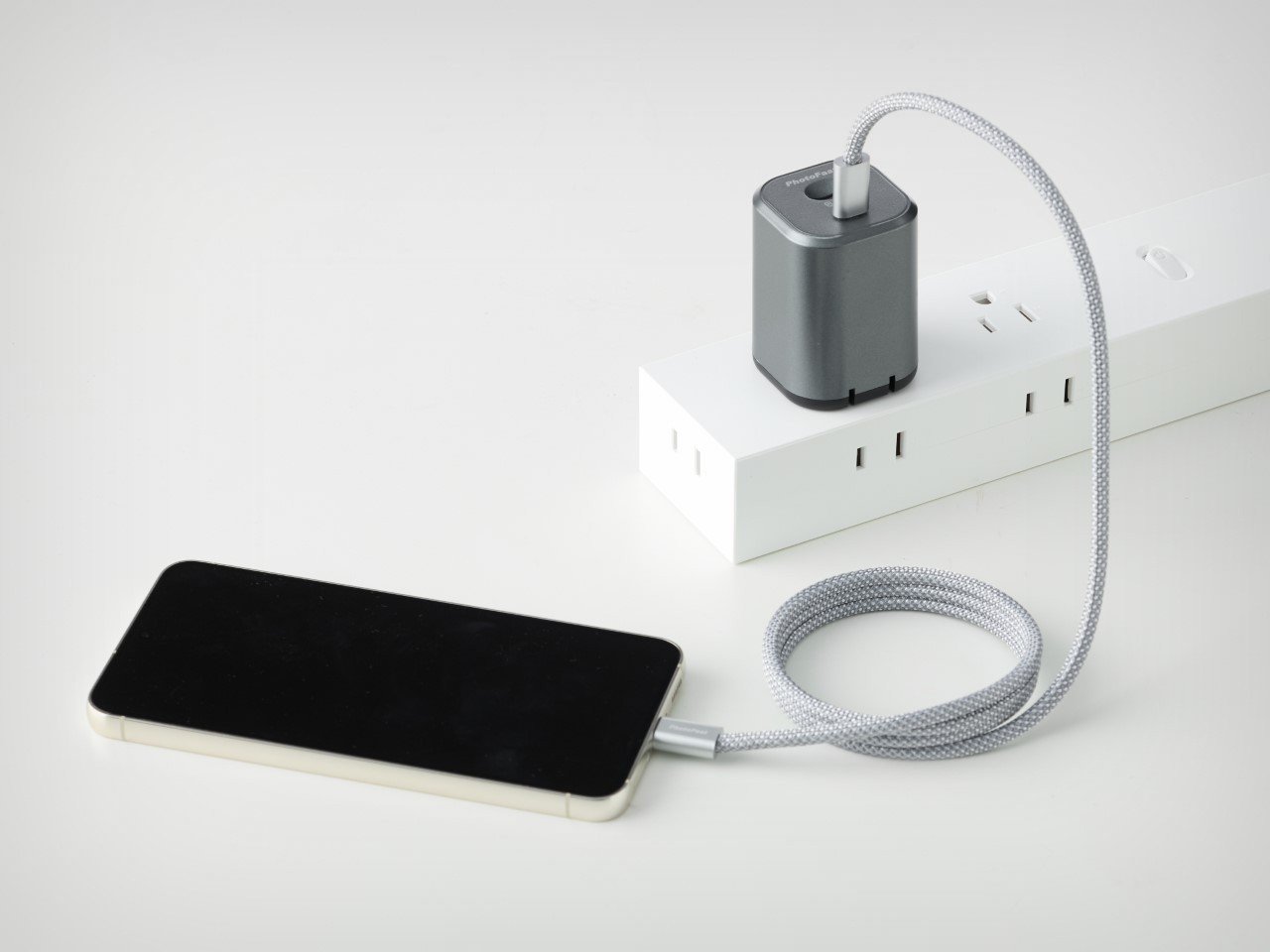
The charger looks like any traditional wall charger, maintaining the same size and featuring foldable pins for easy carrying and storage. It also offers a charging power of up to 45 watts. This provides a suitable fast charging speed for modern smartphones.
Integration of Backup with Charging
What truly distinguishes this charger is the built-in MicroSD card located at the top. This card automatically backs up photos, videos, contacts, and calendar data to the card every time the charger is connected. This integration of charging and data transfer happens through the connected cable. The cable performs two functions simultaneously: delivering power to the phone and transferring data from it.
Simple Usage Without Additional Connections
No Wi-Fi network or complex settings are required, making the process easy and seamless for users without any technical complications.


Full Control Over the Backup Process
The accompanying app provides the ability to precisely schedule backup operations. You can select which files and data you want to back up and which to exclude. This flexibility enables you to manage your data in a way that best suits your personal needs.
Distinguishing Between Multiple Devices
A smart design feature of the app is that it informs the charger to back up only your phone’s data, not that of other users’ devices. This is essential because the charger may be used by multiple people or different devices simultaneously.
Protecting Data from Mixing
This mechanism prevents data backups from being mixed between different devices. For example, it keeps your phone’s backup separate from your sibling’s. It also prevents backing up tablet data onto a charger intended only for phones.
Seamless Use Without the App
If the app is not installed on the device, the charger simply functions as a regular 45-watt charger. This ensures ease of use without any technical complications.

Enhancing Backup Speed and Efficiency
The backup process speeds up with each time the phone is connected to the charger. This makes the operation more efficient over time. The PhotoPower app ensures that previously saved files or media are not duplicated, focusing only on transferring new data.
Supporting Backup for Multiple Devices
Additionally, the system allows backing up multiple devices even when the charger is shared among several users. This is achieved by creating separate folders for each device, preventing data mixing and ensuring precise organization.
High-Speed Transfer Thanks to USB 3.2 Technology
USB 3.2 technology is used to transfer data at speeds up to 5 Gbps. This enables a single charging cycle to also complete the backup process quickly and efficiently.

Flexible Storage via MicroSD Card
The backup process relies on a MicroSD card embedded within the PhotoPower device. This provides a local and direct storage solution without the need for an internet connection or cloud storage services.
Easy Card Replacement When Full
When the storage card is full, the user can simply replace it with a new one. This ensures uninterrupted and hassle-free backup continuity.
Large Storage Capacity for Long-Term Use
PhotoPower supports MicroSD cards with capacities up to 2 terabytes. This large size allows storing massive amounts of data, photos, and videos. It makes it a practical device that can be connected and left without worrying about running out of space.
Wide Compatibility with Devices
The device is compatible with a wide range of gadgets, including iPhone and iPad, as well as Android tablets and smartphones. This significantly broadens its usability.

Free Application and Elimination of Monthly Subscriptions
The PhotoPower app is offered for free. This reflects the development team’s philosophy of eliminating traditional subscription models, especially in the realm of cloud storage. Instead of “renting” storage space through monthly subscriptions, users can simply purchase permanent storage capacity.
Automated Backup to Minimize Human Error
The concept of having the charger automatically perform backups during charging reduces the need to remember to do this manually. It solves the problem of forgotten backups and ensures continuous data protection.
Data Security: Local Storage vs. Cloud Storage
From a security perspective, PhotoPower provides a safer solution compared to cloud storage. In cloud storage, data is exposed to multiple risks such as breaches, sudden outages, or even surveillance by third parties or government entities. Therefore, local storage is a better option for protecting user privacy.
A Practical Solution to a Common Problem
In summary, PhotoPower offers a simple and reliable solution to a critical issue many users face: securing data backups in a seamless way, without ongoing subscription costs or technical complications.


