PocketTerm35: Bridging Mobile and Full Computing Systems

The gap between mobile devices and full computing
The concept of a handheld computer has long represented an attempt to integrate full computing functionality into a compact form, yet it has often encountered clear limitations. While smartphones provide a closed environment that restricts development capabilities, tablets occupy an intermediate position that does not achieve full integration between a phone and a laptop. Likewise, small computer devices and DIY projects have attempted to address this gap, but they often required significant compromises, whether in usability or in operational readiness.
The PocketTerm35 device as a guided design case
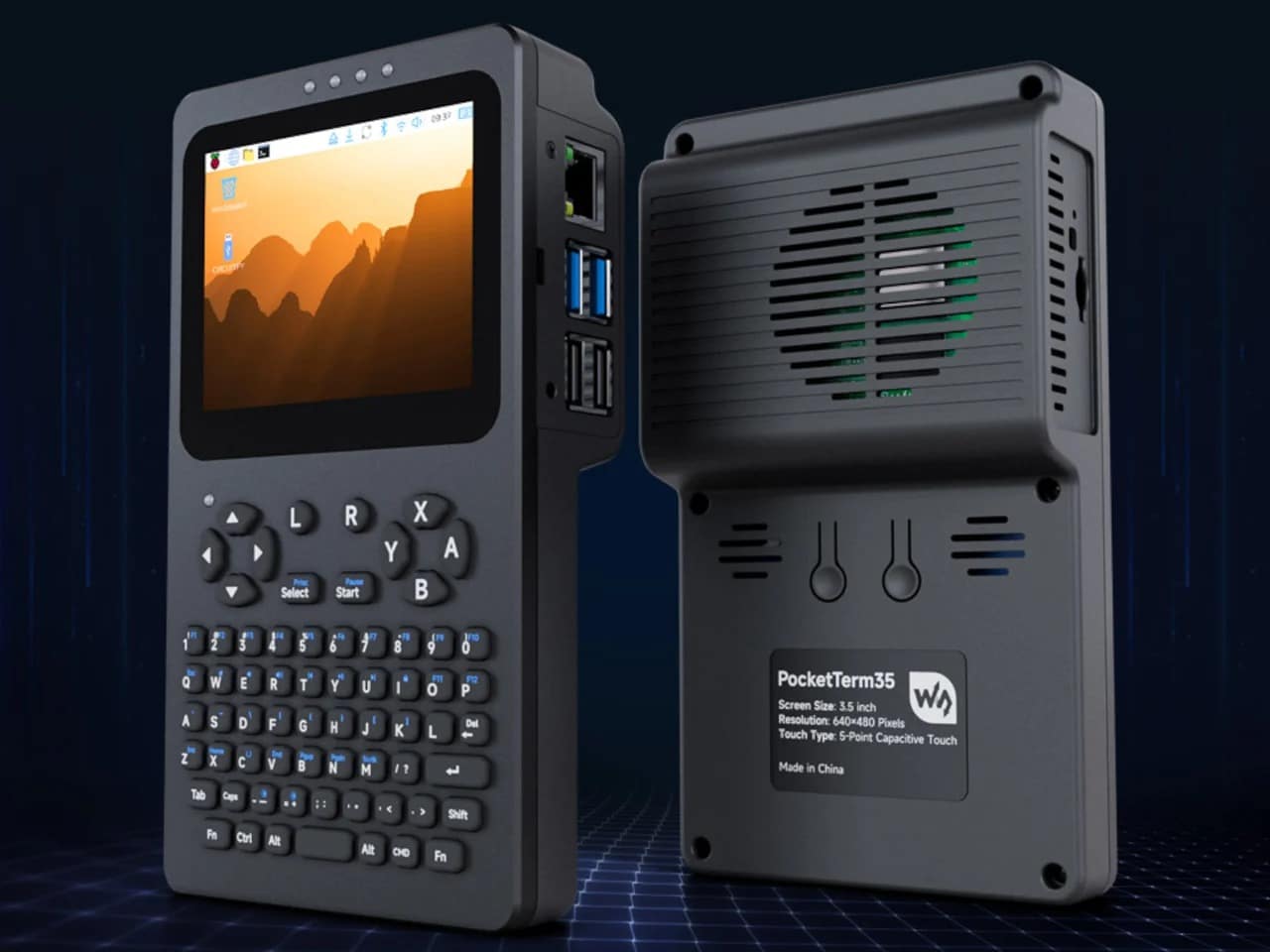
In this context, the PocketTerm35 device can be read as an attempt to reduce these compromises by integrating computing components into a single ready-to-use unit. The device is based on compatibility with the Raspberry Pi 4B and Pi 5, and provides a Linux-based terminal environment within a portable structure. What distinguishes it here is that the core usage elements such as the screen, keyboard, battery, and network connectivity are pre-integrated, eliminating the need for assembly or external components, defining it as a design case.
Physical structure and user interface characteristics
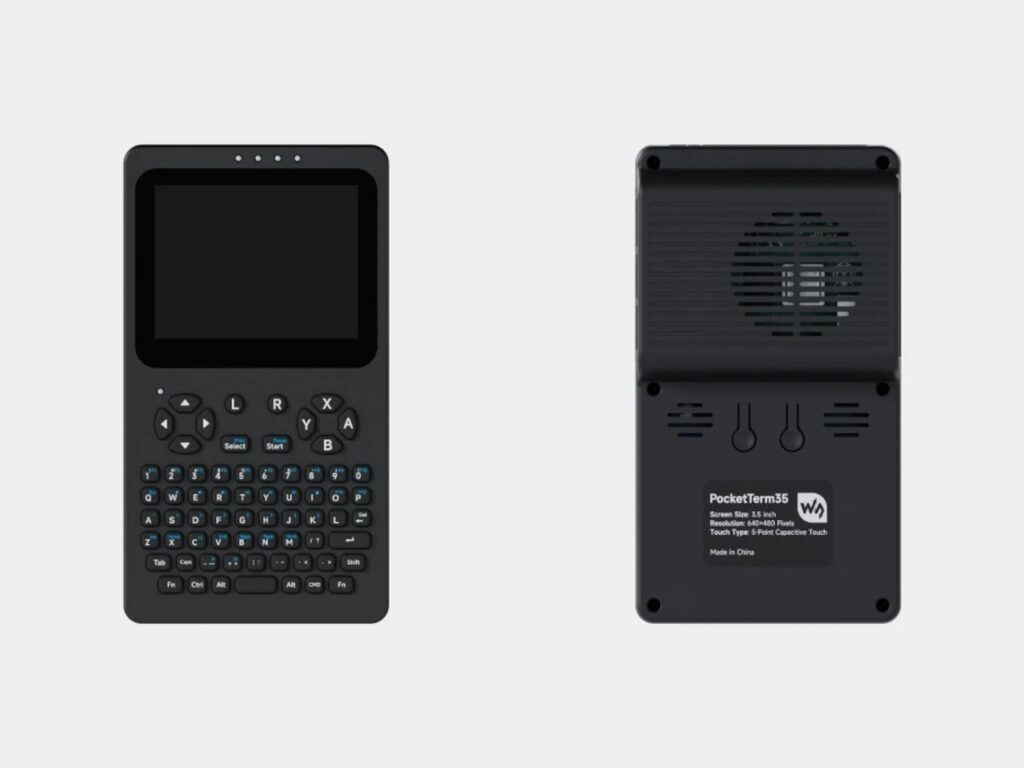
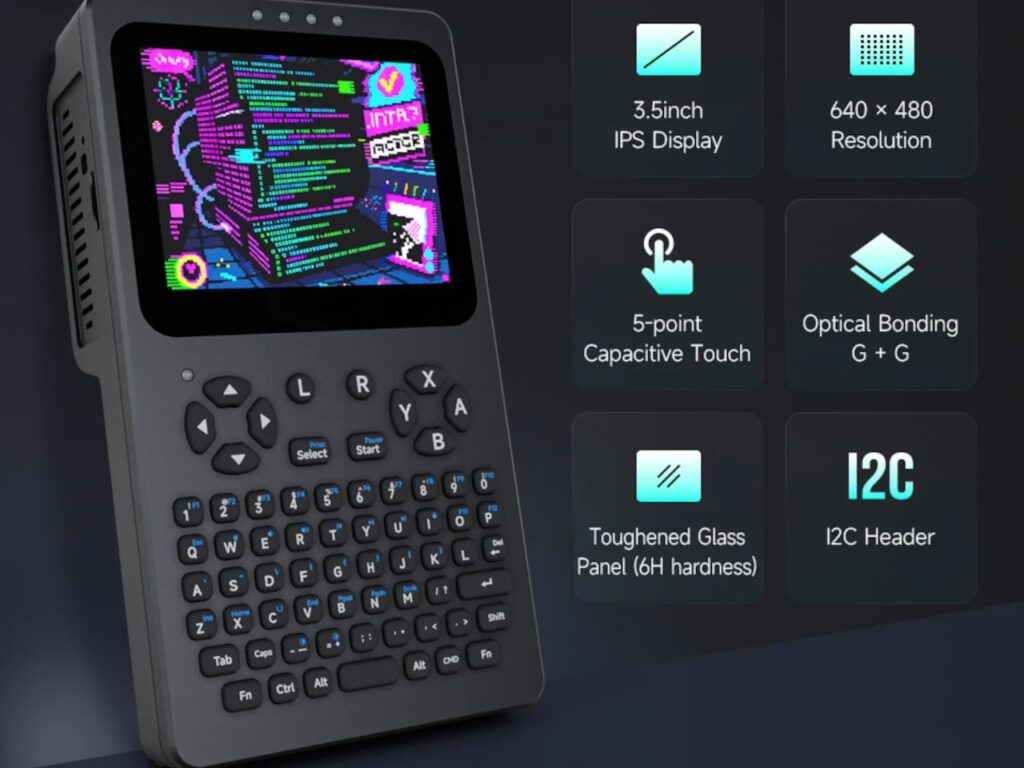
Physically, the device comes in small dimensions that allow one-handed use, with a weight that conveys a sense of mass and stability rather than lightness. The front casing is made of CNC-machined aluminum, while the rear section relies on plastic to reduce overall weight. The visual interface consists of a 3.5-inch 640 × 480 IPS touchscreen, designed for displaying text in terminal environments. It also uses optical bonding technology to reduce reflections, along with multi-point capacitive touch support through reinforced glass, which defines the nature of interaction within a direct and functional daily use context under its Interior Design.
Input Interface and Computational Task Distribution
Below the screen is a 67-key silicone QWERTY keyboard, designed according to a standard layout that enables direct execution of writing tasks, code editing, and interface navigation. In this context, a microcontroller unit of the RP2040 type handles keyboard input management alongside control of screen brightness and audio level. This functional separation reduces the workload on the Raspberry Pi processor, allowing it to focus on core computation rather than peripheral tasks, which reflects an engineering approach based on distributing roles within the system in relation to Architecture.
Power Management and Operational Continuity
The power system relies on a 5000 mAh lithium battery, supported by an integrated UPS system that enables seamless switching between the battery and an external power source without interrupting the operational session. Practically, this allows continuous work during mobility or disconnection from electricity without data loss or interruption of ongoing processes. In this way, stable operational continuity is achieved, making mobile usage closer to a fully realized working environment rather than a temporary battery-dependent state within a Building Materials context.

Connectivity Architecture and Expansion Options
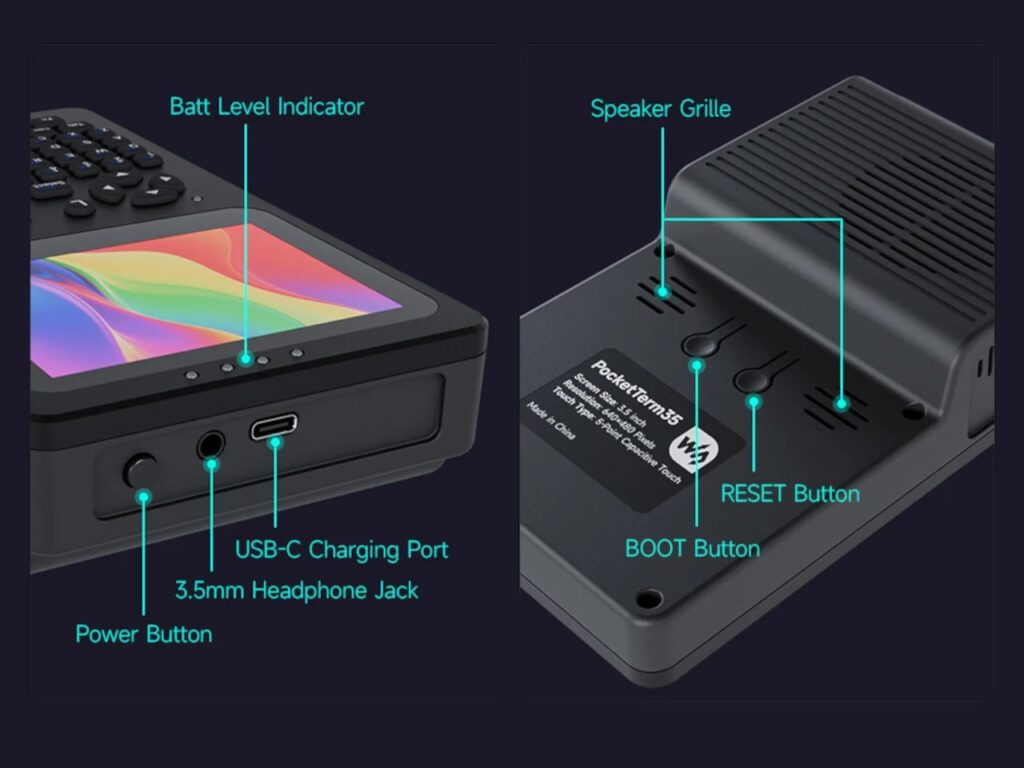
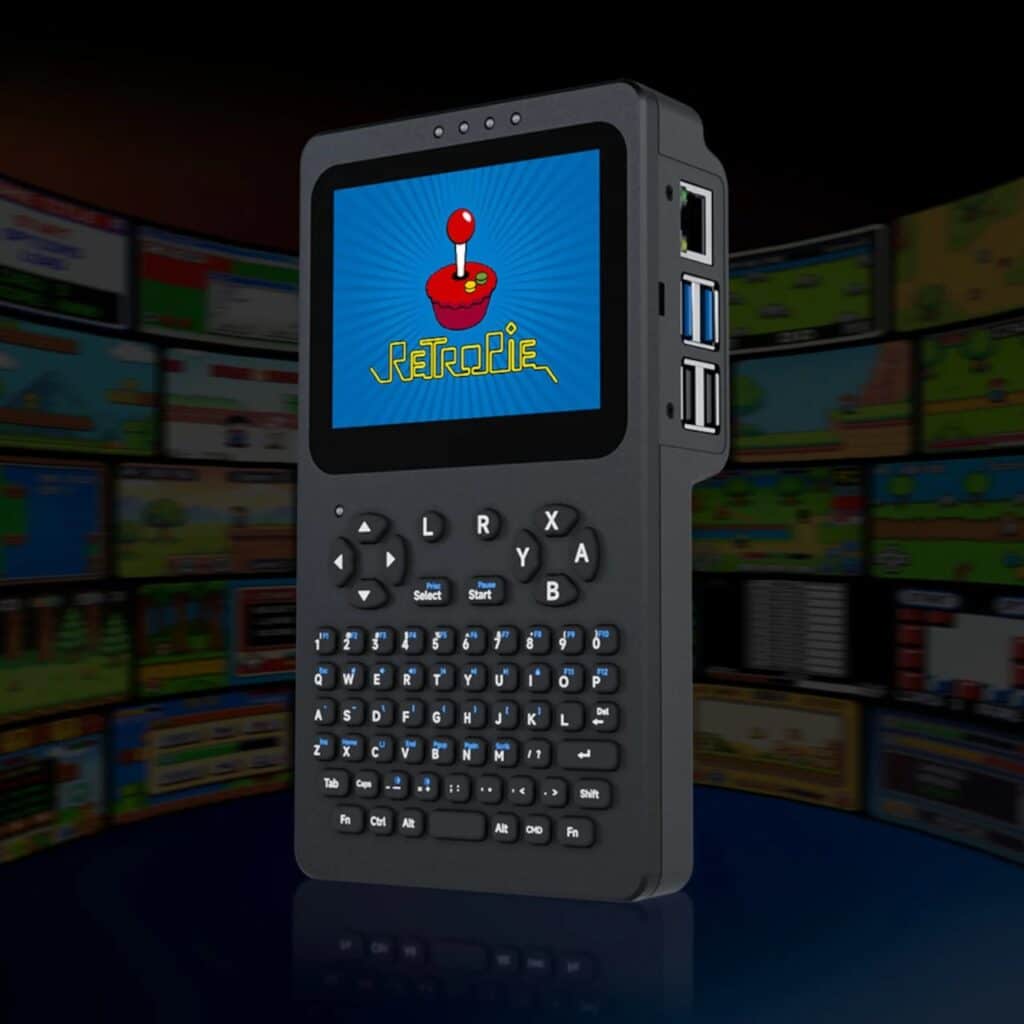
The device offers a wide range of connectivity interfaces, including four USB-A ports and an RJ45 Ethernet port for wired networking, in addition to a 3.5 mm audio jack and a built-in 2W speaker. This variety of interfaces provides direct support for wired use cases without relying on additional peripherals. It also includes an I2C expansion header, enabling the addition of custom hardware and opening the door to functional modifications based on usage requirements. In the context of both software use and entertainment, the device supports RetroPie, allowing classic gaming environments to run on the same hardware architecture while utilizing ABXY control buttons.
Device Configurations and Usage Context
The device is available in multiple configurations depending on the Raspberry Pi board used. The Pi 5 version comes equipped with a Raspberry Pi 5 unit with 1 GB of RAM, a 64 GB microSD card with a pre-installed system, and a 5000 mAh battery. The Pi 4B version is offered in a different configuration at a relatively lower price point. Overall, these configurations reflect differences in performance levels and integrated hardware, allowing users to choose a version based on usage needs rather than a single unified model within broader Projects context.

✦ ArchUp Editorial Insight
Raspberry Pi ecosystem represents a material outcome of the modular computing economy associated with the Raspberry Pi ecosystem and the “do-it-yourself” paradigm, which shifts assembly risk from manufacturers to individuals. Demand for it emerges within a context of mobile terminal computing that relies on open-source environments favoring flexibility over institutional standardization. Friction points arise from peripheral fragmentation, compatibility complexity, and the high cost of integrating display, input, power, and connectivity modules. The device addresses this fragmentation through functional consolidation that centralizes input and output systems into a single unit, compressing assembly complexity into a ready-to-use product. The result is a single operational node that redirects user effort from construction to execution, while reinforcing reliance on Raspberry Pi systems and control layers such as the RP2040, where Architectural Research is replaced by the logic of industrial unification and supply chain integration.